
APIs (Application Programming Interfaces)
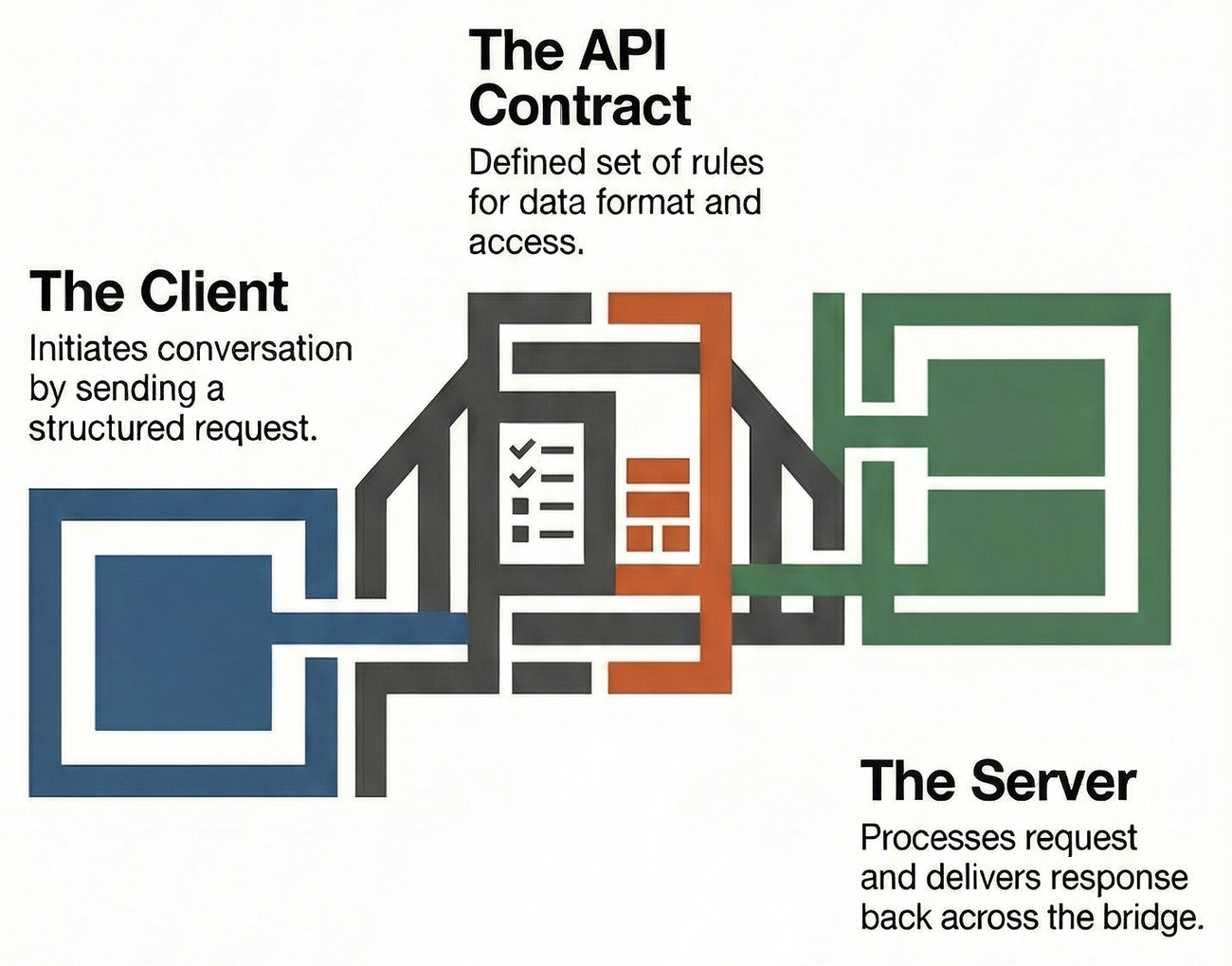
A defined set of rules for how two pieces of software talk to each other — what one side can ask for, how to ask, and what comes back.
What is an API?
An API is a contract between two programs.1 One program (the client) sends a request. The other (the server) processes it and sends back a response. The API defines exactly how that conversation works: what questions you can ask, what format they need to be in, and what the answers will look like.
APIs are everywhere — not just in web development.2 When a weather app on your phone shows today’s forecast, it’s calling a weather API. When you log into a website using Google, the site is calling Google’s authentication API. When a chatbot retrieves information, it’s calling an API.
In plain terms
An API is like a waiter in a restaurant. You (the client) don’t go into the kitchen yourself. You tell the waiter what you want, using the menu (the API documentation). The waiter takes your order to the kitchen (the server), and brings back your food (the response). You never need to know how the kitchen works — you just need to know how to read the menu and place an order.
At a glance
How an API interaction works (click to expand)
sequenceDiagram
    participant C as Client
    participant A as API
    participant D as Database

    C->>A: Request (endpoint + method + params)
    A->>D: Query for data
    D-->>A: Return results
    A-->>C: Response (status code + data)
A request contains: Endpoint (where) + Method (what action) + Parameters (details) + Body (data)
A response contains: Status code (did it work?) + Headers (metadata) + Body (the data)
How does an API work?
Every API interaction has four moving parts. Think of them as filling out and sending a form, then receiving a reply.
1. The endpoint
The address you send your request to — a URL that points to a specific resource. For example:
https://api.example.com/books
https://api.example.com/books/42
https://api.example.com/users/7/orders
The path structure usually mirrors what you’re accessing:
/books = all books, /books/42 = the book with ID 42.
(These are illustrative URLs using the reserved example.com
domain — they don’t point to a real service.)
Think of it like...
A building address.
/booksis the library./books/42is a specific shelf and slot number inside the library. The address tells the postal service (the internet) where to deliver your request.
Concept to explore
See api-endpoints for how endpoints are designed, named, and organised.
2. The method
The type of action you want to perform. There are four primary methods:3
| Method | What it does | Everyday equivalent |
|---|---|---|
| GET | Retrieve data | Looking up a word in a dictionary |
| POST | Create something new | Dropping a letter in a mailbox |
| PUT | Update something existing | Correcting a typo in a document |
| DELETE | Remove something | Erasing an entry from a list |
The key distinction
GET only reads — it never changes anything. POST creates something that didn’t exist before. Most of what you do on the web is GET requests (loading pages, fetching data). POST happens when you submit a form or upload something.
Concept to explore
See http-methods for detailed explanations with real examples of each method.
3. The request
The full message you send to the API. It bundles together:
| Part | What it is | Example |
|---|---|---|
| Endpoint | Where to send it | /api/books?genre=fiction |
| Method | What action | GET |
| Parameters | Filters and options | genre=fiction, limit=10 |
| Headers | Metadata about the request | Accept: application/json |
| Body | Data you’re sending (POST/PUT only) | { "title": "New Book" } |
A request in plain English
“GET me the list of books, but only fiction, and give me the first 10 results, and send the response as JSON.”
Translated to an actual request:
GET /api/books?genre=fiction&limit=10
Accept: application/json
4. The response
The message the API sends back. It tells you whether the request worked and gives you the data (or an error).
| Part | What it is | Example |
|---|---|---|
| Status code | Did it work? | 200 (yes), 404 (not found) |
| Headers | Metadata about the response | Content-Type: application/json |
| Body | The actual data | [{ "id": 1, "title": "..." }, ...] |
Status codes you’ll encounter most
2xx — It worked
200 OK— Request succeeded, here’s your data201 Created— Something new was successfully saved
4xx — You made a mistake
400 Bad Request— The request was malformed or missing info404 Not Found— That resource doesn’t exist
5xx — The server broke
500 Internal Server Error— Something went wrong on the server
Concept to explore
See status-codes for the full catalogue and when each applies.
Why do we use APIs?
Four reasons APIs exist
1. Separation. The program asking for data doesn’t need to know how the data is stored. It only needs to know the API contract. This means both sides can be built and changed independently.
2. Reusability. One API can serve many clients — a website, a mobile app, a chatbot, a third-party tool. Build the API once, use it everywhere.
3. Security. Instead of giving everyone direct access to a database (dangerous), the API controls what operations are allowed and what data is exposed.
4. Standardisation. APIs follow shared conventions (like rest-api), so developers and AI agents can work with unfamiliar systems quickly because the patterns are consistent.4
When do we use APIs?
- When a frontend (browser, app) needs data from a backend (server)
- When two separate systems need to exchange information (payment service, email provider, map provider)
- When you want to expose your own data for others to use
- When building with AI agents that need to call external services
Rule of thumb
If two pieces of software need to talk to each other and they don’t share the same codebase, they almost certainly communicate through an API.
How can I think about APIs?
The vending machine
A vending machine is an API.
- You can see what’s available through the glass → documentation
- You put in money and press a button → request (method + parameter)
- The machine checks if it can fulfil your order → processing
- You get your item → 200 OK (success response)
- “Sold out” → 404 Not Found
- “Insufficient funds” → 400 Bad Request
- Machine jams → 500 Internal Server Error
You don’t know or care how the machine’s internal mechanism works. You just use the interface.
The library reference desk
A library reference desk is an API.
- The librarian is the endpoint (the person you talk to)
- “Do you have Dune?” is a GET request with a parameter
- “I’d like to donate this book” is a POST request with a body
- The librarian checks the catalogue → backend processing
- “Here’s your book” → 200 + response body
- “We don’t have that” → 404
- “The system is down, try later” → 503 Service Unavailable
Concepts to explore next
| Concept | What it covers | Status |
|---|---|---|
| api-endpoints | How endpoint URLs are structured and named | stub |
| http-methods | GET, POST, PUT, DELETE explained with examples | stub |
| status-codes | What response codes mean and when to use them | stub |
| rest-api | The most common API convention and its principles | stub |
| json | The data format APIs typically use | stub |
| http-protocol | The transport layer that carries API requests | stub |
Some of these cards don't exist yet
They’ll be created as the knowledge system grows. A broken link is a placeholder for future learning, not an error.
Check your understanding
Test yourself (click to expand)
- Explain what an API is to someone who has never written code. Use the vending machine or library analogy.
- Name the four parts of an API interaction and describe what each one does.
- Distinguish between a GET request and a POST request. Give a real-world example of when you’d use each.
- Interpret this scenario: a request to
/api/books/999returns a404status code. What does that tell you?- Connect this concept to others: why is an API an example of a contract between parts?
Where this concept fits
Position in the knowledge graph
graph TD
    SD[Software Development] --> CSM[Client-Server Model]
    CSM --> API[APIs]
    CSM --> FE[Frontend]
    CSM --> BE[Backend]
    CSM --> DB[Databases]
    API --> EP[API Endpoints]
    API --> HM[HTTP Methods]
    API --> SC[Status Codes]
    API --> REST[REST API]
    API --> JSON[JSON]
    API --> HTTP[HTTP Protocol]
    style API fill:#4a9ede,color:#fff
Related concepts:
- contracts-and-interfaces — APIs are contracts in practice; both sides agree on format, and changes must be coordinated
- frontend and backend — the two sides of most API calls
- technical-specification — where API contracts are formally defined before implementation
Sources
Further reading
Resources
- What is an API? (Red Hat) — Clear explanation with diagrams, good starting point
- What is an API? In English, please (freeCodeCamp) — Jargon-free introduction with the restaurant analogy
- MDN: Introduction to Web APIs — Mozilla’s beginner-friendly walkthrough
- RESTful API Design — Conventions and best practices for the most common API style
- API-First Design: What It Means — Why designing APIs before implementation leads to better software
Footnotes
-
Red Hat. (2024). What are Application Programming Interfaces?. Red Hat. ↩
-
Pereira, P. (2018). What is an API? In English, please.. freeCodeCamp. ↩
-
Mozilla Developer Network. (2024). HTTP Request Methods. MDN Web Docs. ↩
-
RESTfulAPI.net. (2024). What is REST?. RESTfulAPI.net. ↩